Imagine someone searching for a service near their home on Google. They type something like “best digital marketing agency near me” or “best restaurant in Guwahati.” Within seconds, Google shows a list of businesses along with their locations, contact numbers, reviews, photos, and opening hours.
Now, think about your own business. Does it appear when potential customers search for the products or services you offer?
If not, you could be missing out on many business opportunities.
This is where Google Business Profile Optimization becomes important. It helps your business appear in local Google search results and Google Maps, making it easier for nearby customers to find and contact you.
Whether you own a restaurant, shop, clinic, coaching institute, hotel, or service-based company, having an optimized Google Business Profile can help you attract more customers without spending money on advertisements.
In this guide, we will explain what Google Business Profile optimization is, why it matters, and how you can improve your business profile step by step.
What Is Google Business Profile?
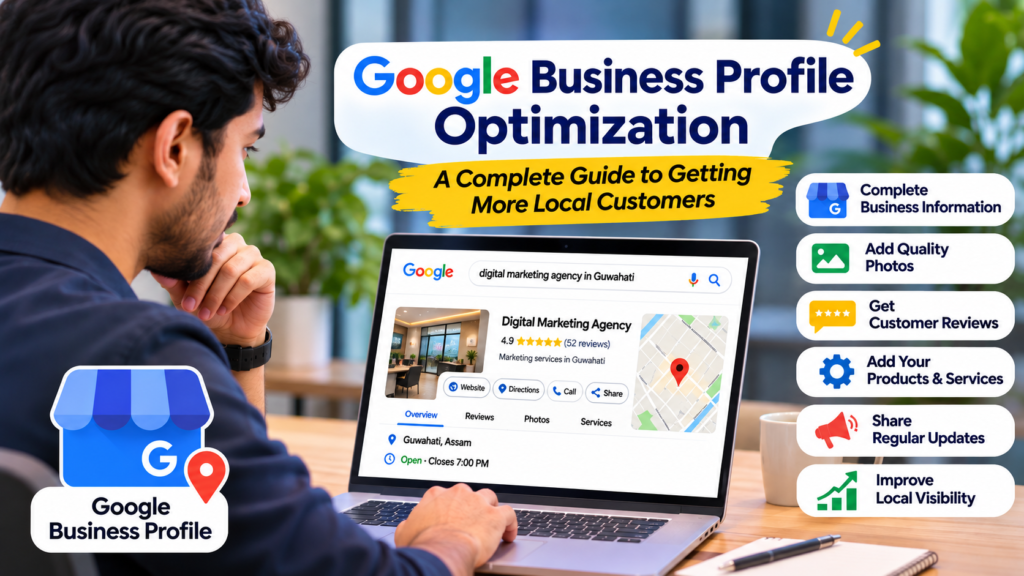
Google Business Profile (GBP), previously known as Google My Business, is a free tool provided by Google that allows business owners to manage how their businesses appear on Google Search and Google Maps.
It displays important business information such as:
- Business name
- Business address and location
- Phone number
- Website link
- Business opening hours
- Customer reviews and ratings
- Business photos and videos
- Products and services
- Business updates and offers
For example, if someone searches for “digital marketing agency in Guwahati,” Google may show a list of relevant agencies with their contact information and customer reviews.
These listings help people compare businesses and decide which one they want to contact.
The best part is that you do not need to pay Google to create a Business Profile. However, you need to follow Google’s guidelines and verify your business.
Why Is Google Business Profile Optimization Important?
Creating a Google Business Profile is only the first step. Simply adding your business name and phone number may not be enough to make your profile useful to potential customers.
You need to optimize it with accurate information, relevant photos, business details, and regular updates.
Here are some reasons why Google Business Profile optimization is important.
1. Improve Your Local Search Visibility
When people search for products or services in their area, Google often displays local business listings.
An optimized profile can improve your chances of appearing in relevant local search results.
For example, if you operate a dental clinic in Guwahati, people searching for “dentist near me” or “dental clinic in Guwahati” may discover your business.
However, appearing in search results is not guaranteed. Google considers several factors, including relevance, distance, and prominence.
2. Get More Calls and Enquiries
Customers often prefer contacting a business directly rather than visiting multiple websites.
Your Google Business Profile makes it easier for them to:
- Call your business.
- Get directions to your location.
- Visit your website.
- Check your working hours.
- View your products and services.
When all important information is available in one place, customers can make decisions more quickly.
3. Build Trust Through Customer Reviews
Before choosing a business, many people check its Google reviews.
A business with genuine positive reviews and helpful responses can create a better first impression.
Encourage satisfied customers to share their experiences. Also, take time to respond to both positive and negative reviews.
This shows that you value customer feedback.
4. Attract More Local Customers
Local customers are often more likely to visit or contact businesses located near them.
For example, someone searching for a restaurant in Khanapara may prefer a nearby restaurant instead of travelling to another part of Guwahati.
An accurate and complete business profile helps Google understand where your business operates and what services it provides.
5. Promote Your Products and Services
Google Business Profile allows eligible businesses to showcase products, services, photos, and updates.
You can use these features to highlight your popular products, special offers, new services, and important business announcements.
This gives potential customers more reasons to choose your business.
10 Effective Google Business Profile Optimization Tips
Now that you understand its importance, let’s look at some practical ways to optimize your Google Business Profile.
1. Complete All Your Business Information
Start by providing complete and accurate business information.
Make sure you add:
- Correct business name.
- Accurate business address.
- Active phone number.
- Website URL.
- Business hours.
- Relevant business category.
- Available products and services.
Avoid leaving important sections incomplete.
Your business information should also match the details available on your website and other trusted online directories.
Consistency helps customers identify your business correctly.
2. Choose the Right Business Category
Selecting the correct primary business category is one of the most important steps.
Your primary category should clearly describe your main business activity.
For example:
- A dental clinic should select a relevant dental clinic category.
- A restaurant should choose the appropriate restaurant category.
- A digital marketing company should select the most relevant available marketing agency category.
- A coaching institute should select an appropriate educational institution or tutoring category.
You can also add relevant secondary categories if they genuinely describe other services your business provides.
Do not select unrelated categories just to attract more searches.
3. Write a Clear and Useful Business Description
Your business description helps potential customers understand what your company offers.
Write a natural description explaining your business, main services, experience, and service area.
For example:
“PCMDigify helps businesses build a strong online presence through digital marketing, search engine optimization, website development, and online advertising solutions. We work with businesses to improve their online visibility, reach potential customers, and generate quality enquiries through effective digital strategies.”
Keep your description informative and easy to understand.
You can naturally include relevant keywords, but avoid repeating the same keyword unnecessarily.
4. Add High-Quality Business Photos
Photos help customers understand what your business looks like before they visit.
A profile with genuine and relevant photos can make a stronger impression than one with no visual information.
Depending on your business type, upload:
- Business logo.
- Cover photo.
- Office or shop photos.
- Product images.
- Team photographs.
- Interior and exterior images.
- Photos of completed projects.
For example, a restaurant can upload food photos, seating arrangements, and kitchen images.
A digital marketing agency can showcase its office, team, and work environment.
Use clear, original images rather than downloading random photographs from the internet.
5. Collect Genuine Customer Reviews
Customer reviews are an important part of building trust online.
Ask customers who have actually used your products or services to share their honest feedback.
You can share your Google review link through:
- WhatsApp messages.
- Email.
- SMS.
- QR codes at your business location.
- Follow-up messages after completing a service.
Always respond professionally to reviews.
For positive reviews, thank customers for their support.
For negative reviews, understand the problem and offer a suitable solution.
Never purchase fake reviews or offer incentives in exchange for positive ratings. Such practices can violate Google’s policies.
6. Add Your Products and Services
Make it easy for customers to understand what you offer.
Add relevant products and services with proper names, descriptions, and prices where applicable.
For example, a digital marketing agency can list:
- Search Engine Optimization (SEO)
- Website Development
- Social Media Marketing
- Google Ads Management
- Facebook and Instagram Advertising
- Local SEO Services
A restaurant can add its popular food items and menus.
Keeping this information updated helps customers understand your offerings before contacting you.
7. Keep Your Business Hours Updated
Imagine a customer travelling to your shop after checking Google, only to discover that it is closed.
This creates a poor customer experience.
Always maintain accurate opening and closing times.
Update your profile whenever there are changes due to:
- Public holidays.
- Festivals.
- Special occasions.
- Temporary closures.
- Changes in regular working hours.
If your business operates on different timings during holidays, use the special hours feature.
8. Publish Regular Business Updates
Google Business Profile offers posting features for eligible business profiles.
You can use them to share useful updates with potential customers.
Some ideas include:
- New product announcements.
- Special offers.
- Upcoming events.
- New services.
- Business achievements.
- Seasonal promotions.
For example, a coaching institute can share information about new admission batches, while a restaurant can announce a new menu.
Use relevant photos and clear descriptions.
Regular updates help keep your business information fresh and useful.
9. Add Your Website Link
If your business has a website, make sure it is connected to your Google Business Profile.
Your website gives customers more information about your company, services, products, and contact details.
It also provides an opportunity to turn profile visitors into enquiries.
Make sure your website:
- Loads properly on mobile devices.
- Has clear contact information.
- Explains your services.
- Includes useful content.
- Has easy-to-find enquiry options.
You should also ensure that the website URL points to the correct page.
10. Monitor Your Google Business Profile Performance
Optimization is not a one-time activity.
You should regularly check how people discover and interact with your business profile.
Google Business Profile performance data can provide useful information, depending on the metrics available for your profile.
Monitor relevant activities such as:
- Searches that show your profile.
- Customer calls.
- Website clicks.
- Direction requests.
- Other customer interactions.
Use this information to understand what is working and where improvements may be needed.
For example, if people frequently visit your profile but rarely call, you may need to improve your business description, photos, service information, or contact details.
Common Google Business Profile Optimization Mistakes to Avoid
Even after creating a profile, some businesses make mistakes that can affect their local visibility and customer experience.
Here are some common mistakes to avoid.
1. Using the wrong business category: Choosing an unrelated category can make it harder for Google to understand your business.
2. Adding keywords to your business name: Do not add extra keywords, locations, or promotional phrases to your business name unless they are genuinely part of your real-world business name.
3. Ignoring customer reviews: Leaving customer reviews unanswered can create a poor impression.
4. Uploading low-quality photos: Blurry, outdated, or irrelevant images may reduce customer confidence.
5. Providing incorrect contact details: An incorrect phone number or address can cause you to lose potential customers.
6. Creating duplicate listings: Multiple profiles for the same business at the same location can create confusion and may violate Google’s guidelines.
7. Ignoring profile updates: Outdated business hours, services, and other information can negatively affect the customer experience.
Avoiding these mistakes will help you maintain a more accurate and professional business profile.
How Long Does Google Business Profile Optimization Take to Show Results?
This is one of the most common questions business owners ask.
The truth is that there is no fixed timeline for Google Business Profile optimization.
Some businesses may notice improvements in customer interactions within a few weeks, while others may need several months of consistent work.
Results depend on several factors, including:
- Your business location.
- Competition in your industry.
- The relevance of your business category.
- The quality and completeness of your profile.
- Customer reviews and reputation.
- Your website’s local SEO performance.
- The overall prominence of your business.
Google uses relevance, distance, and prominence to determine local search rankings.
Therefore, completing your profile does not guarantee the number one position on Google.
Focus on providing accurate information, improving customer experience, collecting genuine reviews, and maintaining your online presence.
Should You Hire a Professional for Google Business Profile Optimization?
Managing a Google Business Profile may look simple, but getting the best results requires regular attention and a proper local SEO strategy.
A professional digital marketing agency can help with:
- Google Business Profile setup and optimization.
- Business category research.
- Local keyword research.
- Business description optimization.
- Review management guidance.
- Local SEO strategy.
- Website SEO improvements.
- Performance monitoring and reporting.
If you are busy managing your business, working with professionals can help you maintain your online presence while focusing on your daily operations.
However, remember that no agency can honestly guarantee a specific Google ranking.
Choose a service provider that follows Google’s guidelines and focuses on long-term improvements.
Final Thoughts
Google Business Profile optimization is an important part of local digital marketing. It helps businesses become easier to discover on Google Search and Google Maps while providing useful information to potential customers.
Whether you run a small shop, restaurant, clinic, coaching institute, or service-based company, an accurate and well-maintained profile can support your efforts to attract local customers.
Start with the basics: complete your business information, choose the right category, upload genuine photos, collect honest reviews, and keep your details updated.
Remember, creating a profile is only the beginning. Consistent optimization and a good customer experience are what make the real difference.
Want to Improve Your Business Visibility on Google?
At PCMDigify, we help businesses strengthen their online presence through SEO, local SEO, website development, and digital marketing solutions.
If your business is struggling to appear in local Google searches or you want to attract more potential customers online, our team can help you build a suitable digital marketing strategy.
Visit PCMDigify.com to explore our digital marketing services and get started with growing your business online.